
Photo-Quality Color For Graphics, Photos & Maps
From 24″ studio printers to 64″ production systems, HP DesignJet Z delivers razor-sharp detail, smooth gradients, and vivid, fade-resistant color. RPG helps you choose, install, color-manage, and supply it.
- 24″–64″Print widths
- 9 InksOn DesignJet Z9⁺
- 1,225 ft²/hrZ6810 production
- HP Amplify PartnerExclusive pricing & offers
- Color ExpertiseProfiles, media & calibration
- Install To SuppliesSetup, service & training
- Virtual DemosSame detail as in person
Three Ways To Print In Color
Every DesignJet Z uses HP Vivid Photo Inks. The difference is width, volume, and how far you push color accuracy.
DesignJet Z6 & Z9⁺ Plus Edition
High-definition graphics, photos, and maps with Adobe PDF Print Engine, HP Click, and optional dual roll with vertical trimmer.
See Plus models →DesignJet Z6 Pro & Z9⁺ Pro
Wide-format speed for maps, posters, and fine art — with spindleless, automatic roll loading and dual-roll productivity.
See Pro models →DesignJet Z6810
High-volume, high-quality production with 775-ml inks, long media rolls, a take-up reel, and an embedded spectrophotometer.
See Z6810 →| Z6 or Z9⁺? | HP DesignJet Z6 | HP DesignJet Z9⁺ |
|---|---|---|
| Best at | Precise maps, fine lines & fast posters | Photo, fine art & brand-critical color |
| Inks | 6 HP Vivid Photo Inks | 9 inks + optional gloss enhancer |
| Color calibration | HP Pixel Control & dual drop weight | Embedded spectrophotometer |
| Speed (44″, glossy) | Up to 104 ft²/hr | Up to 48 ft²/hr |
| Pro 64″ version | Z6 Pro — up to 1,055 ft²/hr | Z9⁺ Pro — up to 152 ft²/hr glossy |
Who It’s For
Teams whose prints are judged by how they look.
Photographers & Fine Art
Gallery-quality photos and fine art prints with smooth gradients and water- and fade-resistant inks.
Retail & POP Signage
High-impact posters and signage on plain, coated, banner, and photo media.
GIS & Mapping
Small labels, fine lines, and dense layers stay clear on maps and technical documents.
Architects & Designers
Presentation renderings and design boards that match what’s on screen.
Print Service Providers
Fast, consistent color across jobs and printers — with production-speed options.
In-House Marketing
Bring posters, banners, and event graphics in-house with a fast, secure workflow.
Key Benefits
Color you can count on — print after print, and printer after printer.
Vivid, Lasting Color
HP Vivid Photo Inks deliver rich color, smooth gradients, and water- and fade-resistant prints — even on challenging color combinations.
Consistent Calibration
Embedded spectrophotometers on Z9⁺ and Z6810 models automate color calibration and custom ICC profiles — no manual measuring.
Fast, Secure Workflow
HP Click real-print previews cut errors and reprints, while HP Wolf Pro Security helps protect your printer, network, and data.
Trade In Your Old Printer, Save On A New DesignJet Z
DesignJet Z6 Pro and Z9⁺ Pro models have qualified for HP’s Cash In Trade Up program — with the Z9⁺ Pro earning up to $1,200 back in recent quarters. We’ll confirm the current offer for your trade-in.
HP DesignJet Z Portfolio
Compare key specs, download HP datasheets, and request pricing for the one that fits.
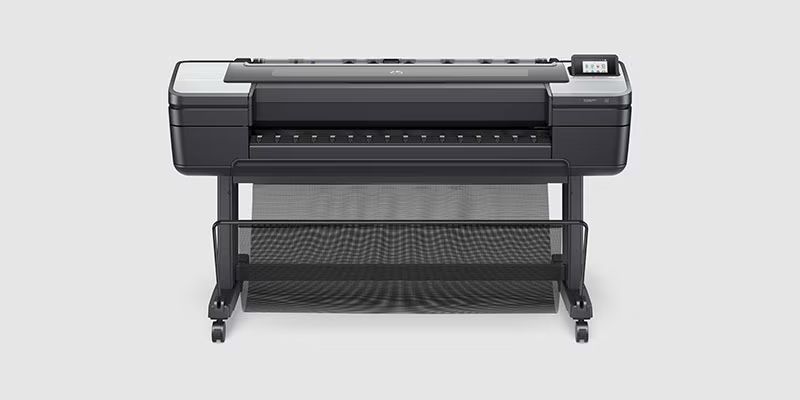
HP DesignJet Z6 PostScript Plus Edition
- 24″ or 44″ widths
- Up to 104 ft²/hr on glossy (44″)
- 6 HP Vivid Photo Inks, 300-ml
- Z6dr option: dual roll + vertical trimmer
Best for: Maps, posters & fine lines
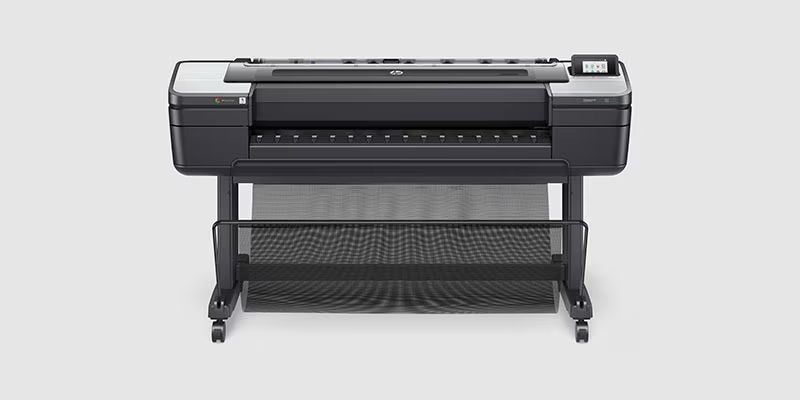
HP DesignJet Z9⁺ PostScript Plus Edition
- 24″ or 44″ widths
- Up to 48 ft²/hr on glossy (44″)
- 9 inks + optional gloss enhancer
- Embedded spectrophotometer
Best for: Photo & fine art color
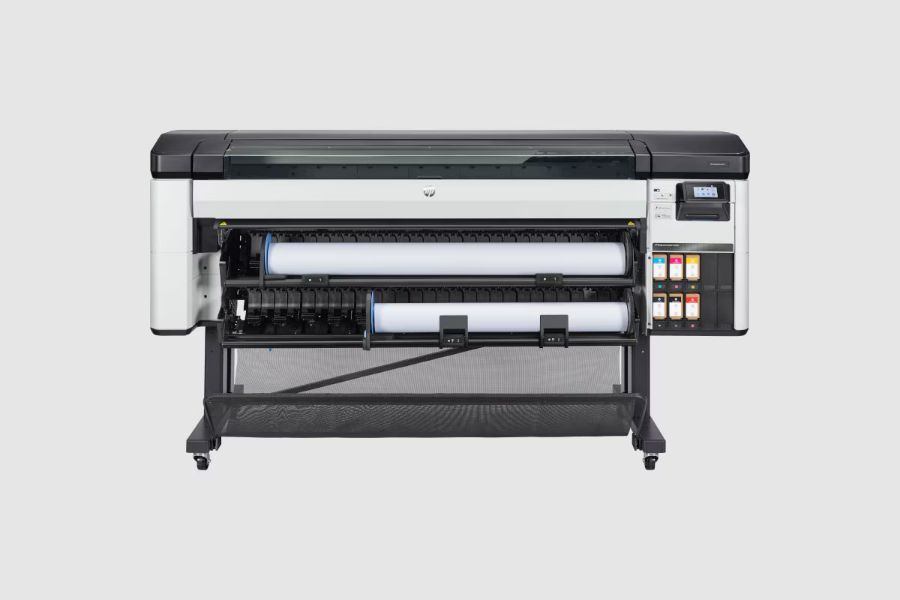
HP DesignJet Z6 Pro 64-in
- 64″ maximum width
- Up to 1,055 ft²/hr
- 500-ml ink cartridges
- Dual roll — up to 40% faster media changes
Best for: The most precise maps at 64″
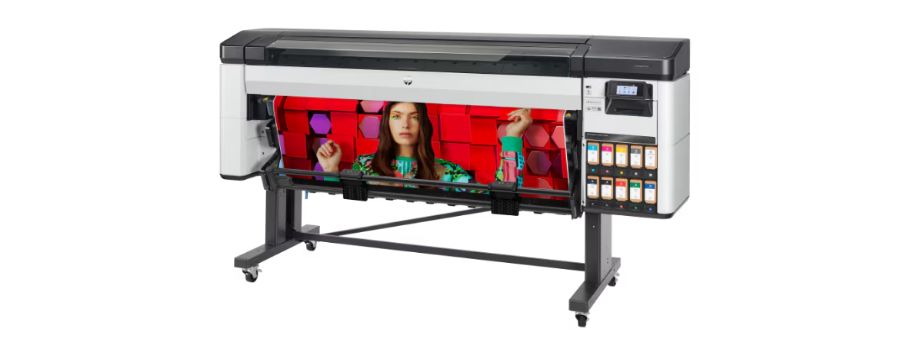
HP DesignJet Z9⁺ Pro 64-in
- 64″ maximum width
- Up to 152 ft²/hr on glossy
- 1-liter ink cartridges
- Chromatic RGB inks + i1 spectrophotometer
Best for: Widest color gamut at 64″
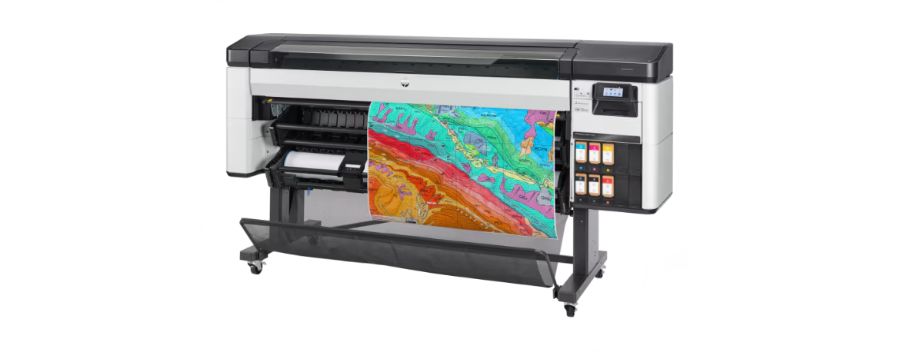
HP DesignJet Z6810 Production
- 42″ maximum width
- Up to 1,225 ft²/hr on plain media
- 775-ml ink cartridges
- Take-up reel + embedded spectrophotometer
Best for: High-volume graphics production
Beyond The Printer
HP tools and accessories that round out a DesignJet Z workflow.
HP Click
Drag and drop files, preview exactly how they’ll print, and cut errors and reprints.
Learn more → Scan & copyHP DesignJet HD Pro 2 Scanner
Add high-definition 42″ color scanning — or choose the Z6dr HD Pro 2 multifunction bundle.
Learn more → Ink & mediaHP Inks & Papers
Original HP inks and a wide range of photo, poster, and banner media tuned for DesignJet Z.
Learn more → Protect the fleetHP Security
See how HP Wolf Pro Security defends your printer, network, and confidential work.
Learn more →Request A Demo Or Print Samples
See a DesignJet Z in action from your desk, or ask for print samples on your own files. Virtual demos provide the same level of detail as live, in-person demos — a specialist will reach out to schedule.
Why RPG
Great Color Starts With The Right Setup.
HP Amplify Partner
Direct access to the latest HP innovations, plus pricing, offers, and warranties available only through Amplify Partners.
Color & Media Know-How
We help you pick the right media, set up profiles, and get consistent results from day one.
End-To-End Support
Expert guidance, installation and setup, maintenance, troubleshooting, and training.
Supplies On Hand
HP inks, printheads, and media delivered when you need them — so deadlines don’t slip.
FAQs – Common Questions
What’s the difference between DesignJet Z6 and Z9⁺?
Which DesignJet Z is best for GIS maps?
What widths are available?
Do DesignJet Z printers calibrate color automatically?
Can I trade in my old printer?
Can I see prints before I buy?
Find Your DesignJet Z
Tell us what you print, how much, and how wide, and we’ll recommend:
- Z6 or Z9⁺, and the right width
- Buy, lease, or trade-in options
- Media, service, and supplies
Or call (800) 521-6319 · sales@rpg.com
Our Partners Include






Ready For Better Color?
Let our wide format specialists match you with the right HP DesignJet Z for your prints, volumes, and space.